
Integrations and evidence6 min readUpdated May 2026Integrations > GitHub
Access needed
AdminIntegration managerGitHub organization administrator
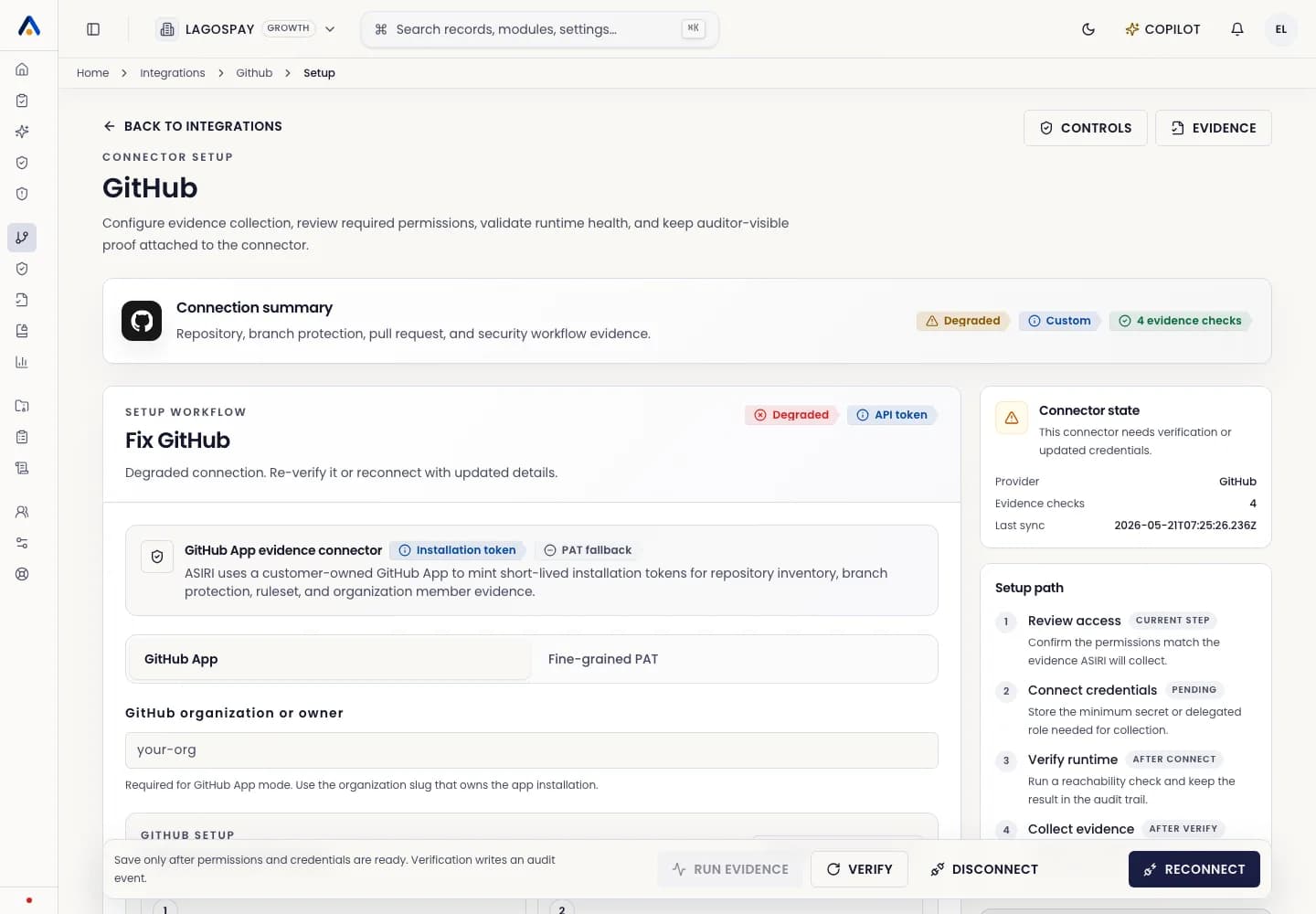
Recommended setup
Use a customer-owned GitHub App where possible. It gives clearer ownership, scoped permissions, and short-lived installation tokens.
A fine-grained personal access token can be used as a fallback when a GitHub App is not practical, but it should be owned by an approved service account and reviewed regularly.
Connect GitHub
- 1Open Integrations.
- 2Select GitHub.
- 3Choose GitHub App or fine-grained token mode.
- 4Enter the organization or owner slug.
- 5Grant read-only repository metadata and organization member permissions.
- 6Connect and run the first sync.
Evidence collected
GitHub evidence can support controls around repository inventory, branch protection, pull request review, organization membership, code change traceability, and source-control access review.