
Integrations and evidence7 min readUpdated May 2026Integrations
Access needed
AdminIntegration managerCompliance manager
What the marketplace is for
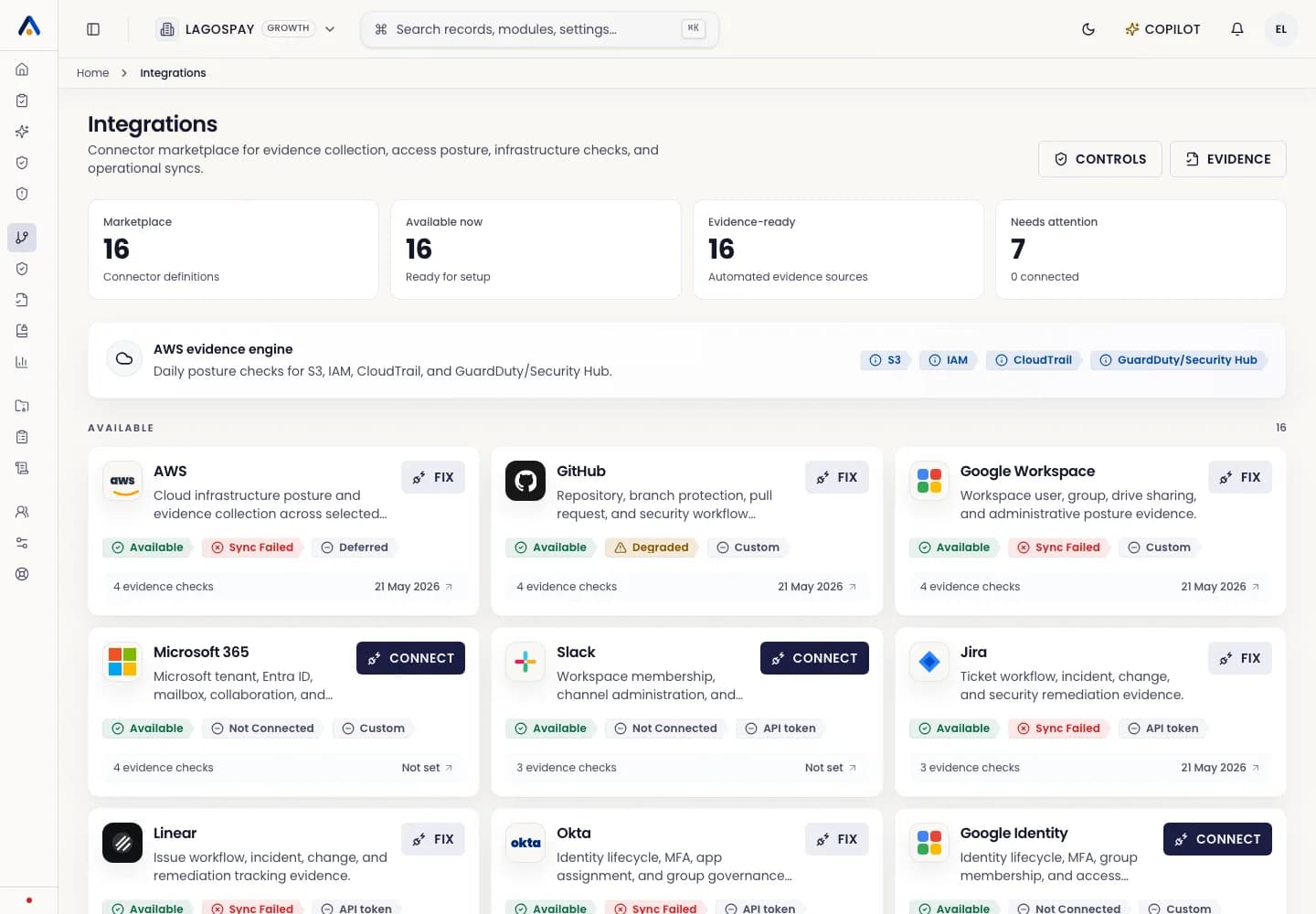
Use Integrations as the starting point for automated evidence. Each connector explains what system it connects to, what authentication model it uses, what evidence it can collect, and which controls it supports.
The marketplace is not just a setup list. It is the operational inventory of external systems that feed ASIRI control monitoring.
Read a connector card
- 1Open Integrations from the app sidebar.
- 2Review the provider name and description to confirm the system matches your compliance scope.
- 3Check the status badge: Available, Connected, Needs attention, or Not connected.
- 4Review the authentication badge, such as IAM role, API token, OAuth, GitHub App, or custom setup.
- 5Use the evidence-check count to understand how many automated checks the connector can support.
Choose the first connectors
Start with the systems that prove the highest-risk controls: identity provider, cloud infrastructure, source control, ticketing, HRIS, and collaboration storage.
For most enterprise customers, AWS, Google Workspace or Microsoft 365, Okta, GitHub, and Jira or Linear create the first useful automated evidence baseline.
After connecting
- 1Run the first sync from the connector setup page.
- 2Open Evidence Engine to confirm evidence objects were collected.
- 3Review mapped controls and freshness states.
- 4Assign owners for failed or missing checks.
- 5Schedule future runs so the connector does not depend on manual operation.