
Workspace administration3 min readUpdated May 2026Settings > Branding tab
Access needed
OwnerAdmin
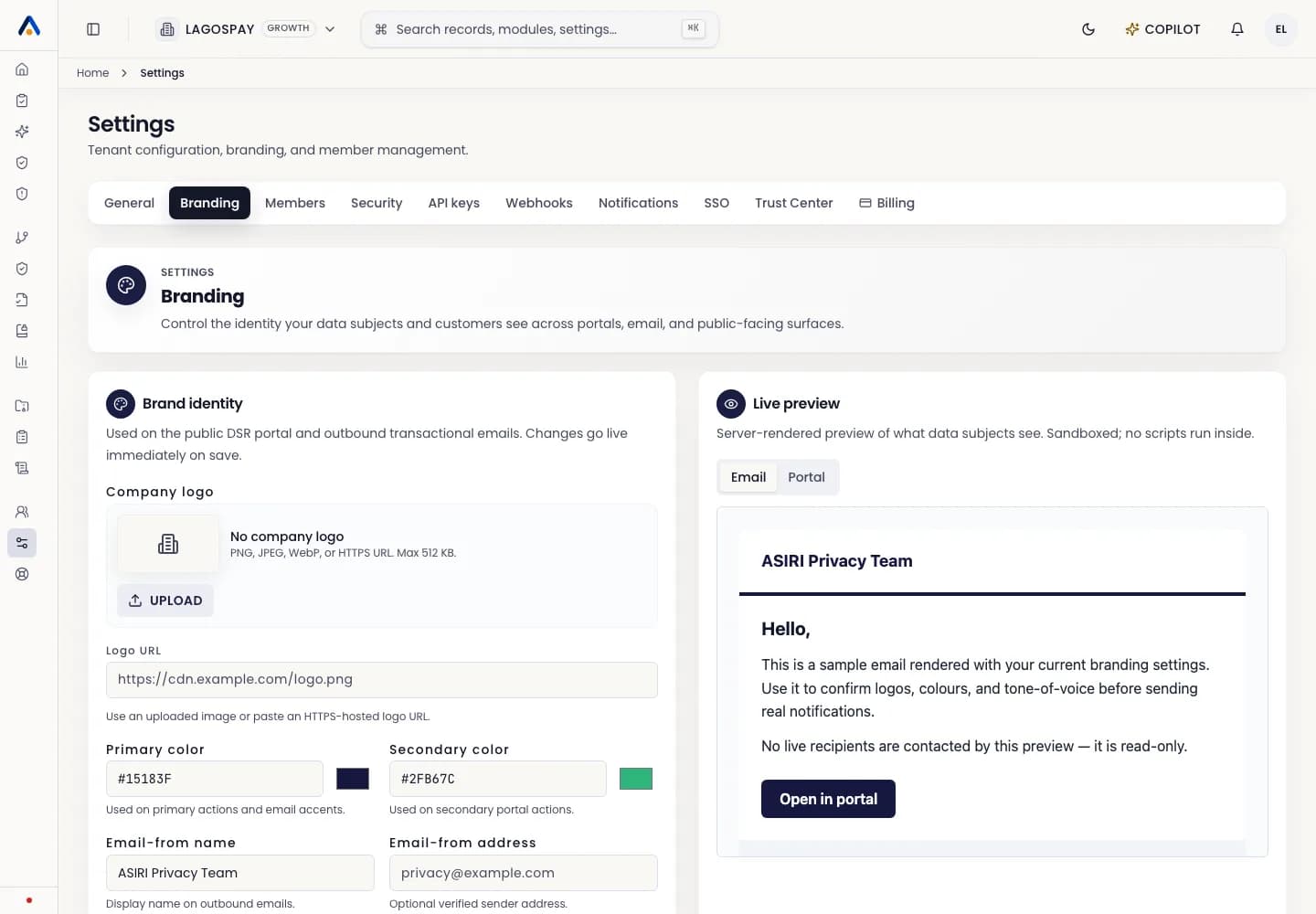
Update branding
- 1Open Settings.
- 2Select the Branding tab.
- 3Enter the primary brand color as a hex value or use the color picker.
- 4Optionally set the secondary color, logo, email sender, and custom domain.
- 5Check the live Email and Portal previews for contrast and readability.
- 6Select Save branding.
Branding scope
Brand colors apply to branded tenant surfaces such as the data-subject portal and outbound emails. Trust Center content and hero copy are managed separately from Settings > Trust Center.